Tag: Prompt Engineering

  • How to Write Better ChatGPT Prompts (2026 Guide)

    How to Write Better ChatGPT Prompts (2026 Guide)

    Learning how to write better ChatGPT prompts is one of the most valuable skills you can develop when using AI.

    Many people believe ChatGPT gives poor answers, but in reality, the quality of the response depends heavily on the quality of the prompt.

    A clear and detailed prompt helps ChatGPT understand your goal, context, audience, and desired format, leading to more useful and accurate responses.

    In this guide, you’ll learn practical techniques for writing better ChatGPT prompts, along with examples you can use immediately.

    Whether you’re writing blog posts, emails, reports, or business documents, better prompts help ChatGPT generate more relevant and accurate responses.

    By understanding a few simple prompt-writing techniques, you can save time, reduce revisions, and get significantly better results from AI.

    Why Prompt Writing Matters

    A prompt is simply the instruction you give ChatGPT.

    The more information you provide, the better ChatGPT can understand what you’re trying to accomplish.

    Well-written prompts help ChatGPT:

    • Generate more accurate responses
    • Reduce misunderstandings
    • Save time
    • Improve writing quality
    • Produce more useful results

    If you’re new to ChatGPT, start with our beginner guide:

    How to Use ChatGPT for Beginners

    If you’re looking for ready-to-use examples, check out:

    Best ChatGPT Prompts for Work

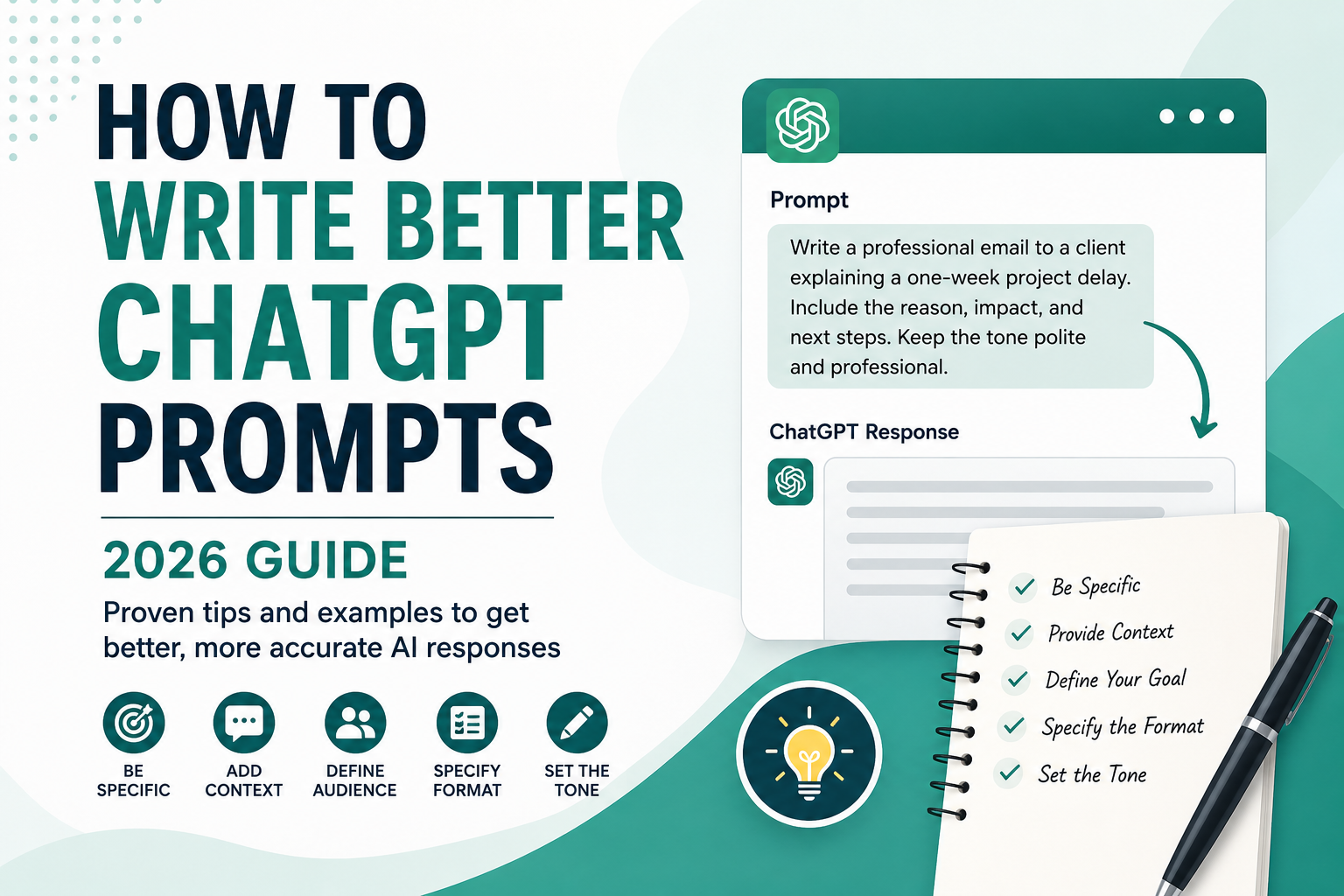
    How to Write Better ChatGPT Prompts guide with prompt writing examples

    Writing better prompts is not about making them longer.

    It’s about providing the right information in a clear and structured way.

    The following practical tips will help you communicate more effectively with ChatGPT and consistently receive higher-quality responses.

    10 Tips for Writing Better ChatGPT Prompts

    The following techniques can dramatically improve the quality of ChatGPT’s responses.

    10 tips for writing better ChatGPT prompts infographic

    1. Be Specific

    Avoid:

    Write an email.

    Better:

    Write a professional email to a client explaining a one-week project delay.

    2. Provide Context

    Tell ChatGPT who you are, what you’re trying to accomplish, and who the audience is.

    The more context you provide, the better the response.

    3. Describe Your Goal

    Instead of asking for information, explain what you want to achieve.

    Example:

    Help me create a blog outline for beginners interested in AI.

    4. Specify the Format

    Ask for:

    • Bullet points
    • Table
    • Step-by-step guide
    • Checklist
    • Email
    • Blog post

    Example:

    Present the answer as a comparison table.

    5. Define the Tone

    Examples:

    • Professional
    • Friendly
    • Formal
    • Casual
    • Persuasive

    6. Mention the Audience

    Example:

    Explain artificial intelligence to a 12-year-old.

    7. Break Large Tasks into Smaller Steps

    Instead of asking ChatGPT to complete everything at once, divide the task.

    This usually produces higher-quality results.

    8. Ask Follow-up Questions

    Good prompting is often conversational.

    Ask ChatGPT to:

    • Expand
    • Simplify
    • Rewrite
    • Improve
    • Add examples

    Each follow-up prompt helps ChatGPT better understand your expectations and improve the final response.

    9. Review the Output

    Always check important information before using it.

    Verify facts related to:

    • Finance
    • Medicine
    • Law
    • Business

    Important decisions should always be based on verified information from trusted sources.

    10. Keep Improving Your Prompt

    Your first prompt doesn’t have to be perfect.

    Small improvements often produce dramatically better answers.

    A Practical Before-and-After Prompt Test

    Consider a common workplace task: telling a client that a project will be one week late. The two prompts below ask for the same deliverable, but they give ChatGPT very different amounts of useful information.

    Version 1: A vague request

    Write an email about a project delay.

    This request identifies the task, but not the recipient, reason, revised date, tone, or next step. ChatGPT has to make assumptions, so the draft may sound generic or include details that do not match the situation.

    Version 2: A structured request

    Write a concise email to an existing client explaining that the website redesign will be delivered on August 14 instead of August 7 because final accessibility testing needs more time.
    
    Acknowledge the inconvenience, take responsibility, and explain that the extra testing reduces the risk of problems after launch. Keep the tone calm and professional. Use a subject line, two short paragraphs, and a clear invitation to discuss any scheduling concerns. Do not invent discounts or additional project details.

    An illustrative result from the second prompt should be easier to use because the model no longer needs to guess the audience, facts, tone, structure, or prohibited details. The response can focus on communicating the delay instead of inventing the missing context.

    Why the second prompt is stronger

    • Task: Write a client email about a specific delay.
    • Context: The project, old date, new date, and reason are supplied.
    • Audience: The reader is an existing client.
    • Tone: Calm, professional, accountable, and concise.
    • Format: A subject line and two short paragraphs.
    • Boundary: The model is told not to invent compensation or project details.

    The lesson is not that every prompt must be long. It is that each instruction should remove an important ambiguity. If a detail will change whether the answer is usable, include it.

    Examples of Weak vs Strong Prompts

    Weak Prompt

    Write a blog post about AI.

    Better Prompt

    Write a 1,000-word beginner-friendly blog post about artificial intelligence.

    Use H2 and H3 headings, include practical examples, and keep the tone conversational.


    Weak Prompt

    Explain SEO.

    Better Prompt

    Explain SEO to a complete beginner using simple language.

    Include practical examples and a step-by-step guide.

    Common Prompt Formula

    A simple prompt structure is:

    Task

    Context

    Audience

    Format

    Tone

    Example:

    Write a 1,000-word blog post about AI productivity tools.
    
    Audience:
    Small business owners.
    
    Tone:
    Professional but easy to understand.
    
    Format:
    Use H2 and H3 headings with bullet points.

    Using a consistent prompt structure helps ChatGPT understand your request more accurately and produce better results.

    You can use this simple framework for almost any task, whether you’re writing emails, creating content, or planning projects.

    You can also use this framework in ChatGPT Study Mode to define your level, topic, goal, and preferred learning method before starting a guided study session.

    If you repeatedly ask for the same tone, response length, or formatting rules, save those preferences once with ChatGPT Custom Instructions and keep each task-specific prompt focused on the current goal.

    How to Diagnose a Weak ChatGPT Response

    When a response is disappointing, do not immediately rewrite the entire prompt. First identify the specific failure, then add the smallest instruction that addresses it.

    Problem in the responseLikely causePrompt improvement
    Too genericAudience, goal, or context is missingAdd who the answer is for and what decision or action it should support
    Too longNo length or priority was definedSet a word range and ask for only the most important points
    Wrong formatThe deliverable was not specifiedRequest a table, checklist, email, outline, or numbered steps
    Invented detailsThe model had to fill gapsSupply the facts and instruct it to label uncertainty instead of guessing
    Wrong toneThe relationship and tone were unclearDescribe the reader and use concrete tone words

    For an important factual task, add a verification instruction such as:

    Use only the information I provide and the sources you can verify. Separate confirmed facts from assumptions. If a claim cannot be verified, say so instead of guessing. Include links to the sources used.

    This instruction can reduce unsupported claims, but it does not guarantee accuracy. Review the sources yourself, especially for medical, legal, financial, safety, or other high-impact decisions. Our ChatGPT Search guide explains how to inspect citations and verify claims more carefully.

    OpenAI’s official prompt engineering best-practices guide likewise recommends clear, specific instructions, enough context, and iterative refinement after reviewing the first response.

    Common Mistakes to Avoid

    Avoid:

    • Being too vague
    • Missing context
    • Asking multiple questions at once
    • Forgetting the audience
    • Not reviewing the response

    Learn more:

    10 Common ChatGPT Prompt Mistakes

    If you’re new to ChatGPT, you may also enjoy:

    How to Use ChatGPT for Beginners

    Frequently Asked Questions

    Why are my ChatGPT answers too generic?

    Most generic responses happen because the prompt lacks enough detail or context.


    How long should a ChatGPT prompt be?

    There is no perfect length. A prompt should contain enough information for ChatGPT to understand your request.


    Can better prompts improve ChatGPT’s answers?

    Yes. Better prompts often lead to more accurate, detailed, and useful responses.


    Should I use ChatGPT or Google?

    ChatGPT is excellent for generating ideas, writing, and explaining concepts, while Google is better for finding recent information and official sources.

    Learn more:

    ChatGPT vs Google


    Can I reuse the same prompt?

    Yes.

    You can reuse prompts, but adjusting them to your audience, goals, and context usually produces better responses.

    Conclusion

    Better prompting is less about finding a secret phrase and more about reducing ambiguity. State the task, provide the context that affects the answer, identify the audience, define the output format, and set useful boundaries.

    Then review the response as a draft. If it is generic, inaccurate, too long, or poorly structured, diagnose that specific problem and refine one part of the prompt. This conversational approach is usually more effective than trying to write a perfect instruction on the first attempt.

    Clear prompts can improve relevance and reduce revisions, but they do not guarantee factual accuracy. Verify important claims with reliable primary sources and never treat a confident answer as proof.

    For repeated work, save the reusable structure and replace only the changing context. Over time, a small library of tested prompt templates can make ChatGPT more useful for writing, learning, planning, and everyday work.

  • 10 Common ChatGPT Prompt Mistakes (And How to Fix Them)

    10 Common ChatGPT Prompt Mistakes (And How to Fix Them)

    Many beginners think ChatGPT automatically understands exactly what they need. In reality, the quality of your prompt has a direct impact on the quality of the response you receive.

    Even small mistakes—such as being too vague or forgetting important details—can lead to inaccurate, incomplete, or unhelpful answers.

    The good news is that most prompt mistakes are easy to fix. In this guide, you’ll learn the most common ChatGPT prompt mistakes, see practical examples, and discover simple techniques to write better prompts that produce better AI responses.

    Why Common ChatGPT Prompt Mistakes Matter

    ChatGPT doesn’t read your mind—it follows your instructions.

    The clearer and more specific your prompt is, the easier it is for ChatGPT to understand exactly what you’re asking. Better prompts lead to more accurate answers, save time, and reduce the need for multiple follow-up questions.

    Learning how to write effective prompts is one of the fastest ways to improve your experience with ChatGPT, whether you’re using it for work, studying, writing, coding, or everyday tasks.

    1. Being Too Vague

    One of the biggest mistakes beginners make is writing prompts that are too vague.

    When your request doesn’t include enough detail, ChatGPT has to guess what you mean. As a result, the response is often too general to be useful.

    Instead of asking broad questions, clearly explain what you want, who it’s for, and what outcome you’re expecting.

    Bad Prompt

    Tell me about marketing.

    Better Prompt

    Explain digital marketing for a small coffee shop in simple terms with three practical examples.

    Notice how the second prompt provides a clear topic, audience, and expected level of detail. This allows ChatGPT to generate a much more useful response.

    2. Not Giving Enough Context

    Context is one of the most important parts of a good prompt.

    Without background information, ChatGPT has to make assumptions about your situation. Those assumptions may not match what you actually need.

    Whenever possible, explain your goal, audience, experience level, or any other information that helps define the task.

    Bad Prompt

    Write an email.

    Better Prompt

    Write a professional email to a client who missed our meeting yesterday. Keep the tone polite and under 150 words.

    The additional context makes it much easier for ChatGPT to produce a response that fits your situation.

    3. Asking Too Many Questions at Once

    Many beginners try to solve several problems in a single prompt.

    Although ChatGPT can handle complex requests, asking too many unrelated questions at once often leads to incomplete or confusing responses. Instead of trying to accomplish everything in one message, break large tasks into smaller, focused prompts.

    This approach allows ChatGPT to provide more detailed, organized, and accurate answers.

    Bad Prompt

    Explain SEO, create a marketing plan, and write five Instagram captions.

    Better Prompt

    First, explain SEO for beginners.
    
    Then create a simple marketing plan for a local coffee shop.
    
    Finally, write five Instagram captions based on that marketing plan.

    Breaking your request into logical steps helps ChatGPT stay focused and deliver much better results.

    4. Ignoring the Desired Output Format

    One of the easiest ways to improve ChatGPT’s responses is to tell it exactly how you want the answer to be presented.

    If you don’t specify a format, ChatGPT will choose one for you—and it may not match what you expected.

    You can request bullet points, tables, summaries, step-by-step guides, emails, blog posts, or even checklists.

    Bad Prompt

    Explain artificial intelligence.

    Better Prompt

    Explain artificial intelligence in five bullet points using simple language for beginners.

    Being specific about the format saves time and often eliminates the need to rewrite the response later.

    5. Ending the Conversation Too Early

    Many users treat ChatGPT like a search engine by asking one question and stopping after the first answer.

    However, ChatGPT works best as an ongoing conversation.

    If the first response isn’t exactly what you need, ask follow-up questions to refine the result.

    For example, you can ask ChatGPT to:

    • Explain it more simply.
    • Give three additional examples.
    • Rewrite the response in a professional tone.
    • Turn the answer into a table.
    • Make the explanation shorter.
    • Expand one specific section.

    The more you guide the conversation, the more useful and personalized the responses become.

    Example of a clear ChatGPT prompt

    6. Not Defining the Audience

    A prompt can be specific about the task and still produce the wrong tone if ChatGPT does not know who will read the result. A beginner, an executive, and a technical specialist need different vocabulary, detail, and examples.

    Bad Prompt

    Explain cybersecurity.

    Better Prompt

    Explain phishing to new employees with no technical background. Use plain English, one realistic email example, and a five-point safety checklist.

    Defining the audience helps ChatGPT choose the right depth and language. Before submitting a prompt, name the reader’s experience level and what they need to do with the answer.

    7. Forgetting Constraints and Boundaries

    Without limits, ChatGPT may create an answer that is too long, too broad, or unsuitable for your situation. Useful constraints include word count, deadline, budget, location, available tools, and topics that must be excluded.

    Bad Prompt

    Create a marketing plan for my small business.

    Better Prompt

    Create a 30-day marketing plan for a local bakery with a $500 budget. Focus on Instagram and email, exclude paid influencers, and present the plan as a weekly table.

    Constraints reduce guesswork. They do not make the prompt unnecessarily complicated; they make the response easier to use.

    8. Trusting the First Answer Without Checking

    A well-written response can still contain missing context, weak assumptions, or factual errors. Good prompting includes a review step instead of treating the first answer as final.

    Bad Prompt

    Give me the final answer and make it sound confident.

    Better Prompt

    Draft the answer, then list the three assumptions you made, identify any claim that needs verification, and suggest reliable primary sources I should check.

    For medical, legal, financial, academic, or other high-stakes decisions, verify important information with qualified professionals and reliable primary sources. A stronger prompt improves usefulness, but it does not guarantee accuracy.

    9. Asking for Facts Without Sources or Dates

    Information about prices, policies, software, statistics, and public figures can change. If the date and source matter, request them directly and check that the cited material actually supports the claim.

    Bad Prompt

    What are the latest remote-work statistics?

    Better Prompt

    Summarize three recent remote-work statistics from government reports or original research. Include the publication date, source link, sample size when available, and clearly label any inference.

    This instruction makes the evidence easier to inspect. Always open important sources yourself because links, dates, and summaries can still be incorrect or incomplete.

    10. Reusing the Same Prompt for Every Task

    A prompt that works for brainstorming may not work for research, editing, analysis, or decision-making. Each task needs its own success criteria, inputs, and output format.

    Bad Prompt

    Help me with this project.

    Better Prompt

    I am planning a beginner guide about email productivity. First identify the reader's three main problems, then propose an outline with six H2 sections. Do not write the full article until I approve the outline.

    Adapting the prompt to the stage of work produces more controlled results. For longer assignments, you can also organize chats, files, and instructions with ChatGPT Projects.

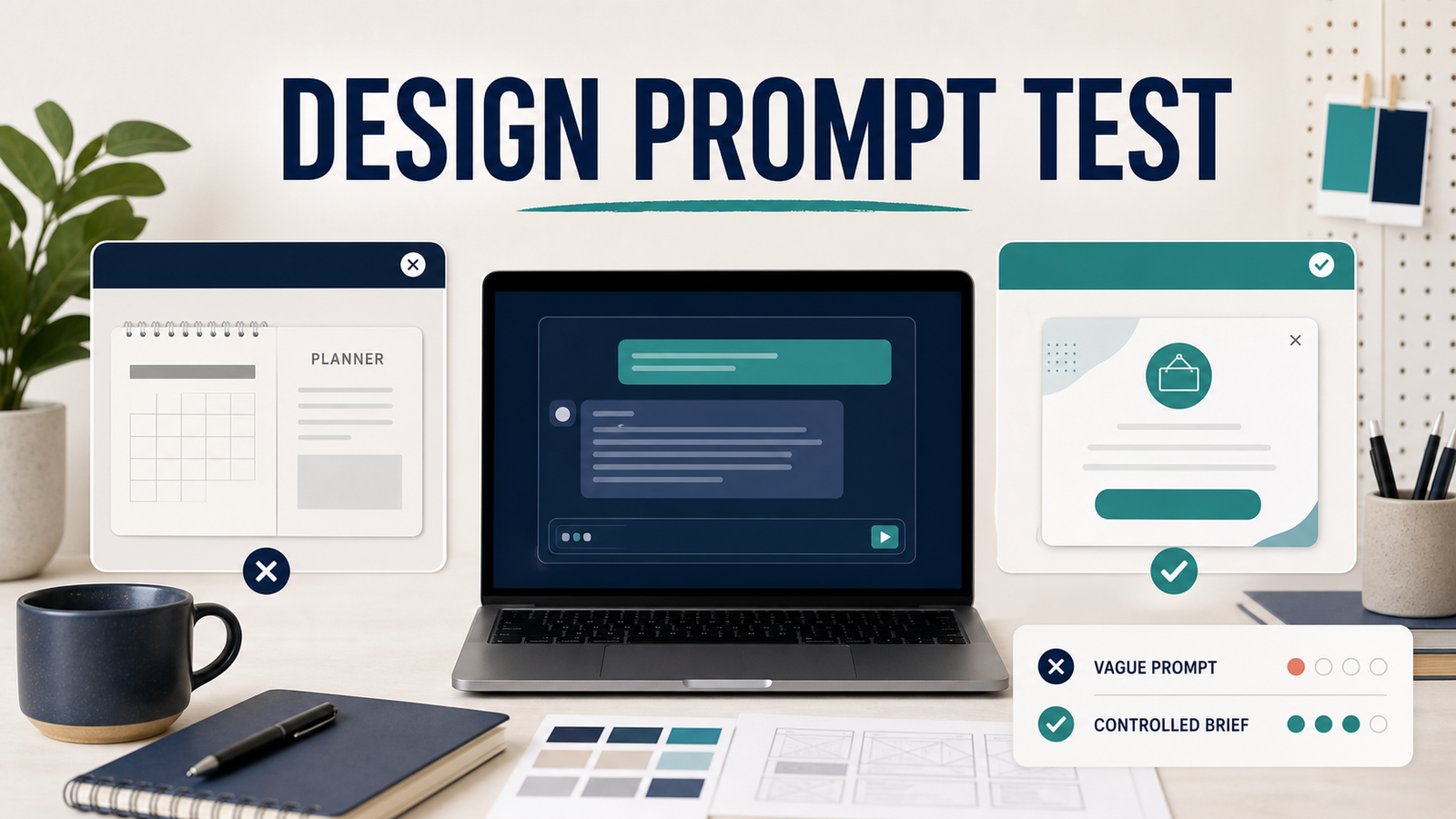
    A Simple Prompt Quality Test

    You can test prompt quality without relying on a vague feeling that one answer “looks better.” Run the same practical task twice in a new chat, change only the prompt, and compare the responses with a short checklist.

    Test scenario: a customer cancellation email

    Vague prompt:

    Write a cancellation email.

    Controlled prompt:

    Write a customer email confirming the cancellation of a monthly software subscription.
    Audience: a customer who requested cancellation today.
    Tone: calm, respectful, and professional.
    Include: confirmation that auto-renewal is stopped, access continues through July 31, and a support contact for billing questions.
    Do not invent a refund or policy.
    Format: subject line plus a body of no more than 120 words.

    Review both outputs using the same four questions:

    1. Does the first sentence make the purpose clear?
    2. Are the audience, tone, and required details reflected in the response?
    3. Did the response obey the length and format limits?
    4. Did it avoid inventing refunds, dates, or policies that were not provided?

    How to interpret the result

    The controlled prompt should make it easier to judge whether the response fits the task because the success conditions are visible. However, a well-structured answer is not automatically a factually correct one. Names, dates, prices, policies, calculations, and source claims still need human verification before use.

    If the controlled response still misses something, revise one instruction at a time and run the test again. This follows OpenAI’s guidance to use clear, specific prompts and improve them iteratively after reviewing the output. See the official OpenAI prompt engineering best practices.

    How to Avoid Common ChatGPT Prompt Mistakes

    Writing effective prompts doesn’t have to be complicated. By following a few simple habits, you can dramatically improve the quality of ChatGPT’s responses.

    Before submitting your next prompt, check whether you’ve included these key elements.

    • Be specific about what you want.
    • Provide enough background information.
    • Focus on one task at a time.
    • Tell ChatGPT your preferred output format.
    • Refine the response with follow-up prompts.

    These simple techniques can help you save time and consistently receive more accurate, useful, and personalized answers.

    Bad Prompt vs Better Prompt

    Here’s a quick comparison that shows how a few small changes can make a significant difference in the quality of ChatGPT’s responses.

    Bad PromptBetter Prompt
    Tell me about AI.Explain artificial intelligence to a 12-year-old using simple language.
    Write an email.Write a professional email declining a meeting invitation in under 150 words.
    Help me study.Create a 7-day biology study plan with daily tasks.
    Explain marketing.Explain digital marketing for a local business with real-world examples.
    Summarize this article.Summarize this article in five bullet points for beginners.
    Bad ChatGPT prompt example
    Better ChatGPT prompt example

    Conclusion

    Writing better ChatGPT prompts isn’t about using complicated language—it’s about giving clear instructions.

    By avoiding the common ChatGPT prompt mistakes discussed in this guide, you’ll get more accurate, helpful, and relevant responses from ChatGPT. Small improvements, such as adding context, specifying the output format, and asking follow-up questions, can make a significant difference.

    The more you practice writing prompts, the easier it becomes to communicate with AI effectively.

    The quality of your AI results depends largely on the quality of your prompts. Learning a few simple prompt-writing techniques today can save you time and improve your productivity for years to come.

    Start with clear instructions, provide enough context, and don’t be afraid to ask follow-up questions. ChatGPT is designed to be a conversation, not just a search engine.

    Whether you’re writing, studying, coding, or working, better prompts lead to better results. Keep experimenting, refine your prompts, and you’ll quickly become more confident using ChatGPT.

    Want to continue learning? Check out these beginner-friendly ChatGPT guides:

    Learn more about ChatGPT on the official OpenAI website.

  • Best ChatGPT Prompts for Beginners (2026 Guide)

    Best ChatGPT Prompts for Beginners (2026 Guide)

    What Are ChatGPT Prompts?

    Best ChatGPT prompts for beginners help you get more accurate, useful, and creative AI responses. If you’re new to ChatGPT, one of the first things you’ll hear about is prompts. A prompt is simply the instruction, question, or request you give to ChatGPT. The quality of your prompt directly affects the quality of the response you receive.

    Think of a prompt as a conversation starter. Instead of asking vague questions, providing clear instructions helps ChatGPT understand exactly what you need. Whether you’re writing emails, studying for exams, brainstorming ideas, or solving coding problems, well-written prompts can save time and produce much better results.

    If you’re completely new to ChatGPT, we recommend reading our How to Use ChatGPT for Beginners guide before exploring these prompt examples.

    Why Good Prompts Matter

    Many beginners think ChatGPT can read their minds, but it cannot. The more specific and detailed your prompt is, the better the response will be.

    Good prompts help you save time, reduce misunderstandings, and generate more useful answers. Instead of asking multiple follow-up questions, a well-structured prompt gives ChatGPT enough context to provide a complete response from the beginning.

    Whether you’re using ChatGPT for work, study, business, writing, or everyday tasks, learning how to write effective prompts is one of the most valuable AI skills you can develop.

    How to Write Better ChatGPT Prompts

    Writing effective ChatGPT prompts is easier than you might think. You don’t need complicated instructions—just a clear goal and enough context. By following a few simple techniques, you can dramatically improve the quality of ChatGPT’s responses.

    Be Specific

    Avoid asking vague questions like “Tell me about marketing.” Instead, be specific about what you want. For example, you could ask, “Explain digital marketing for small businesses in simple terms.” The more specific your prompt is, the more accurate and useful the response will be.

    Give Context

    Providing background information helps ChatGPT understand your situation. Mention your goal, audience, experience level, or any important details. Context allows the AI to generate answers that are more relevant to your needs.

    Choose the Format

    Tell ChatGPT exactly how you want the answer to be presented. You can request a list, table, email, essay, step-by-step guide, or summary. Specifying the format saves time and reduces the need for follow-up prompts.

    Define the Tone

    You can also tell ChatGPT what tone to use. For example, ask for a professional, friendly, casual, persuasive, or formal writing style. Choosing the right tone helps produce content that matches your purpose.

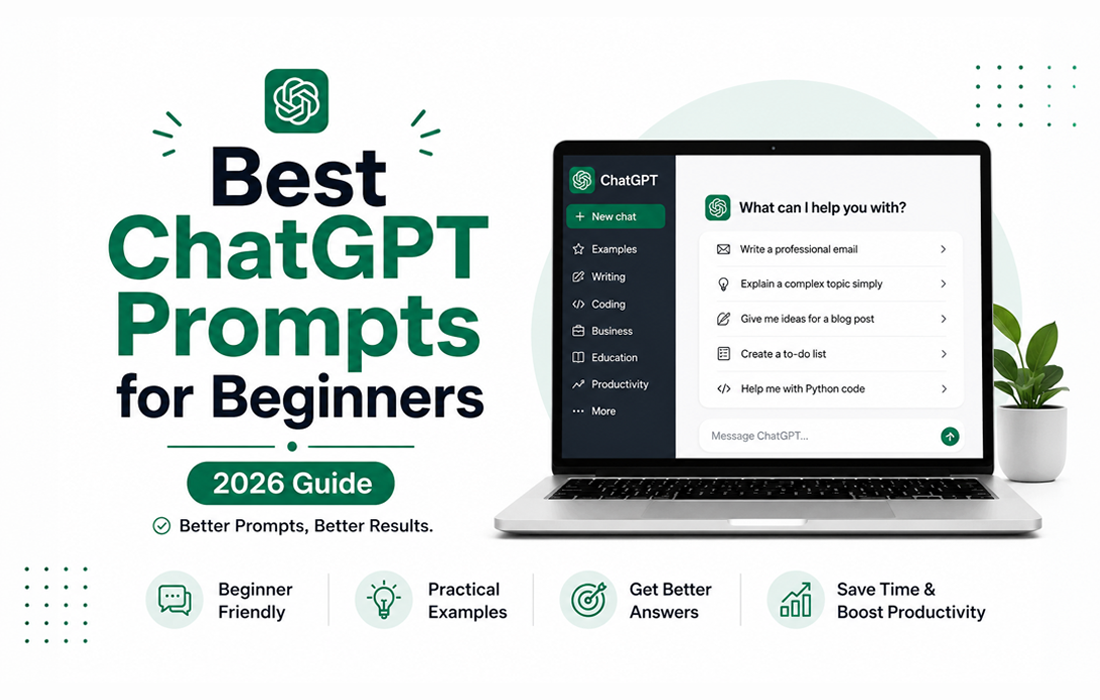
    Best ChatGPT prompts for beginners

    Best ChatGPT Prompts for Beginners

    The best ChatGPT prompts are clear, specific, and designed for a particular goal. Below are practical prompt examples for beginners, organized into different categories. Feel free to copy, customize, and use them for work, study, writing, coding, and everyday tasks.

    Writing

    Writing is one of the most popular uses for ChatGPT. Whether you’re creating emails, blog posts, social media captions, or reports, a well-written prompt helps generate better content in less time.

    • Write a professional email to a client who missed a meeting.
    • Rewrite this paragraph to sound more natural and engaging.
    • Write a blog introduction about artificial intelligence for beginners.
    • Create five Instagram captions for a coffee shop.
    • Summarize this article in under 100 words.

    Work

    ChatGPT can improve productivity at work by helping with reports, meeting notes, presentations, and professional communication. Clear prompts lead to more useful business results.

    • Write a professional meeting agenda for a 30-minute team meeting.
    • Summarize these meeting notes into key action items.
    • Create a project timeline for a website redesign.
    • Write a follow-up email after a business meeting.
    • Turn these bullet points into a professional report.

    Coding

    Whether you’re learning to code or solving programming problems, ChatGPT can explain concepts, debug code, and generate examples for many programming languages.

    • Explain Python variables for beginners.
    • Find the bug in this JavaScript code.
    • Write a simple HTML landing page.
    • Create a basic calculator using Python.
    • Explain what an API is with simple examples.

    Productivity

    Many people use ChatGPT to stay organized, manage their time, and improve productivity. It can help create schedules, prioritize tasks, and simplify daily planning.

    • Create a weekly to-do list based on these tasks.
    • Build a daily schedule for working from home.
    • Prioritize these tasks based on urgency.
    • Plan my week to improve productivity.
    • Suggest time management tips for busy professionals.

    Travel

    ChatGPT can help you plan trips, build travel itineraries, estimate budgets, and recommend places to visit based on your interests.

    • Plan a three-day trip to Tokyo with a budget of $500.
    • Recommend the best attractions in Paris.
    • Create a family travel itinerary for Seoul.
    • Suggest affordable hotels in New York.
    • Build a packing checklist for a summer vacation.

    Business

    Business owners can use ChatGPT for brainstorming, marketing, customer service, and planning. Well-crafted prompts can save time and generate fresh ideas.

    • Create a marketing plan for a new coffee shop.
    • Write a product description for an online store.
    • Suggest five business name ideas for an AI startup.
    • Create a social media content calendar.
    • Generate customer service email templates.

    A Practical Prompt Test: Vague vs. Structured

    Try the same task with these two prompts and compare how much editing the first response requires.

    Vague prompt:

    Write an email about a delayed project.

    Structured prompt:

    Write a professional email to a client explaining that a website redesign will be delayed by three business days. Briefly state the reason, explain the impact, give the revised delivery date, and offer a short next step. Keep the tone calm and accountable and the message under 150 words.

    The vague version leaves ChatGPT to guess the audience, tone, reason, timing, and desired action. The structured version defines those decisions before writing begins, so the result should be easier to review and adapt. This does not guarantee that every detail is correct: check names, dates, promises, and factual claims before sending or publishing the answer.

    How to judge the two results

    • Does the email clearly identify the audience and the purpose?
    • Does it include the delay, revised delivery date, impact, and next step?
    • Is the tone calm and accountable rather than defensive?
    • Does it stay under 150 words without omitting an essential detail?
    • Which names, dates, causes, or promises still require human verification?

    OpenAI’s official prompt engineering guidance for ChatGPT also recommends clear, specific instructions and iterative refinement. Treat the first response as a draft: review it, identify what is missing, and improve the next prompt instead of expecting one perfect result.

    If you repeat the same preferences across many conversations, learn how to set up ChatGPT Custom Instructions. For a deeper troubleshooting checklist, review these common ChatGPT prompt mistakes.

    Common Prompt Mistakes

    Even the best AI tools can produce poor results if the prompt is unclear. Here are some common mistakes beginners make and how to avoid them.

    Being Too Vague

    A prompt like “Tell me about business” is too broad. Instead, explain exactly what you want to learn or create. Specific prompts almost always produce better answers.

    Not Giving Enough Context

    Without context, ChatGPT has to guess what you need. Include your goal, audience, experience level, or any important details to receive more relevant responses.

    Asking Too Many Questions at Once

    Trying to solve multiple problems in one prompt can confuse the AI. Break large tasks into smaller prompts for clearer and more accurate responses.

    Not Asking Follow-up Questions

    Your first answer doesn’t have to be the final one. Ask ChatGPT to rewrite, simplify, expand, or improve its previous response to get better results.

    Frequently Asked Questions

    What is a ChatGPT prompt?

    A ChatGPT prompt is the instruction or question you give to ChatGPT. Clear prompts usually produce more accurate and useful responses.

    Can beginners use ChatGPT prompts?

    Yes. Anyone can use ChatGPT by writing simple instructions. You don’t need any technical knowledge to get started.

    How can I write better prompts?

    Be specific, provide enough context, choose your preferred format, and don’t hesitate to ask follow-up questions. The best ChatGPT prompts are clear, detailed, and written with a specific goal in mind.

    Do better prompts improve ChatGPT answers?

    Yes. Better prompts help ChatGPT understand your request more clearly, leading to more relevant and accurate responses.

    Can I copy these prompts?

    Absolutely. These examples are designed to help beginners learn how to write effective prompts. Feel free to customize them to fit your own needs.

    Final Thoughts

    Learning how to write the best ChatGPT prompts is one of the fastest ways to improve your AI experience. Small changes in your instructions can lead to dramatically better answers, saving time and producing more useful results.

    The examples in this guide are only the beginning. As you continue experimenting with different prompts, you’ll discover new ways to use ChatGPT for work, study, creativity, business, and everyday life.

    If your goal is learning, try these prompting ideas in ChatGPT Study Mode, which can guide you with questions, practice, and feedback instead of only giving you a finished answer.

    Start with these beginner-friendly prompts, adjust them to match your goals, and don’t be afraid to keep the conversation going. The more you practice, the better your prompts—and your results—will become.

    Now it’s your turn.

    Choose one prompt from this guide, try it in ChatGPT, and experiment with different styles and instructions. Every conversation helps you become more confident and more effective at using AI.

    Bookmark this guide and come back whenever you need new ChatGPT prompt ideas.

    Official ChatGPT