Tag: Work Automation

  • How to Use ChatGPT for Work: 10 Practical Examples

    How to Use ChatGPT for Work: 10 Practical Examples

    Many professionals are looking for ways to save time, improve productivity, and work more efficiently with AI.

    ChatGPT is an AI assistant developed by OpenAI that helps users write, research, organize information, and complete tasks more efficiently.

    How to Use ChatGPT for Work is becoming an important skill as more people use AI tools for writing, research, planning, and everyday business tasks.

    ChatGPT is not designed to replace human creativity or decision-making. Instead, it can help you complete repetitive tasks faster, organize your thoughts, and create better results.

    In this guide, you’ll learn 10 practical ways to use ChatGPT at work, including writing emails, summarizing information, creating content, planning projects, and improving productivity.

    How to Use ChatGPT for Work

    How to Use ChatGPT for Work

    ChatGPT can assist with many different workplace tasks.

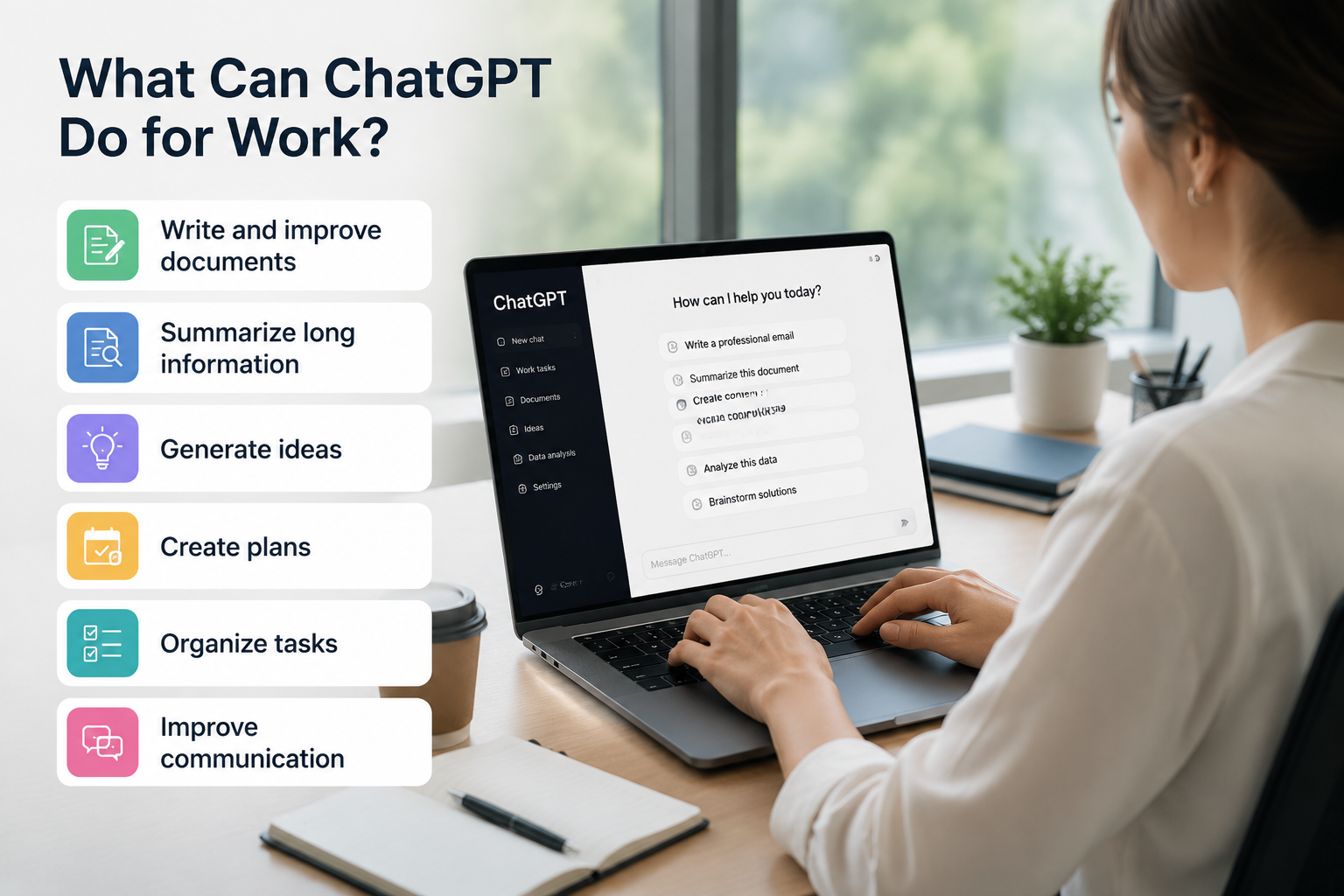
    Whether you are an employee, business owner, freelancer, or creator, ChatGPT can help you:

    • Write and improve documents
    • Summarize long information
    • Generate ideas
    • Create plans
    • Organize tasks
    • Improve communication

    If you are new to ChatGPT, start with our beginner guide: How to Use ChatGPT for Beginners.

    ChatGPT work use cases

    1. Writing Professional Emails

    Writing emails can take a lot of time, especially when you need the right tone and structure.

    ChatGPT can help you create professional emails, rewrite unclear messages, and adjust the tone depending on the situation.

    Example Prompt

    Write a professional email to a client explaining a project delay.
    Keep the tone polite and solution-focused.

    You can also ask ChatGPT to make an email shorter, friendlier, or more formal.

    2. Summarizing Long Documents

    Professionals often need to read reports, meeting notes, and research documents.

    ChatGPT can quickly summarize long content and highlight important information.

    Example Prompt

    Summarize this document into five key points.

    This can help you understand large amounts of information faster.

    3. Creating Content Ideas

    Content creation requires constant brainstorming.

    ChatGPT can help generate ideas for:

    • Blog posts
    • Social media content
    • Marketing campaigns
    • Video topics

    Example Prompt

    Create 10 content ideas for a small business.

    You can provide your industry, audience, and goals to get more relevant ideas.

    4. Creating To-Do Lists and Work Plans

    Managing multiple tasks can become difficult.

    ChatGPT can help organize your tasks into clear schedules and action plans.

    Example Prompt

    Create a weekly work schedule based on these tasks.

    You can also ask ChatGPT to prioritize tasks based on urgency and importance.

    5. Improving Writing Quality

    ChatGPT can help improve existing writing by making it clearer and more professional.

    It can help with:

    • Emails
    • Reports
    • Presentations
    • Articles
    • Business documents

    Example Prompt

    Rewrite this paragraph to sound more professional.

    Small improvements in wording can make your communication more effective.

    6. Research and Learning

    Learning new topics is an important part of many jobs.

    ChatGPT can explain complex topics in simple language and provide examples.

    Example Prompt

    Explain this topic like I'm a beginner.

    You can also ask ChatGPT to compare concepts, create summaries, or explain ideas step by step.

    7. Preparing Meetings

    Preparing for meetings often requires creating agendas, questions, and summaries.

    ChatGPT can help organize meetings more efficiently.

    Example Prompt

    Create a meeting agenda for a marketing team.

    You can also use ChatGPT to summarize previous meeting notes and create follow-up tasks.

    8. Creating Presentations

    Creating a presentation from scratch can take hours.

    ChatGPT can help you create:

    • Presentation outlines
    • Slide structures
    • Key talking points
    • Speaker notes

    Example Prompt

    Create a presentation outline about digital marketing.

    You can then customize the content based on your audience.

    9. Analyzing Data

    ChatGPT can help you understand data and find patterns.

    It can assist with:

    • Explaining data trends
    • Summarizing reports
    • Organizing information

    Example Prompt

    Analyze this data and explain the main insights.

    However, always verify important business decisions with accurate data sources.

    10. Brainstorming Solutions

    When facing a problem, generating multiple ideas can help you find better solutions.

    ChatGPT can act as a brainstorming partner by suggesting different approaches.

    Example Prompt

    Give me five possible solutions to this business problem.

    You can continue the conversation by asking ChatGPT to compare the advantages and disadvantages of each idea.

    A Practical Workflow: Turn Meeting Notes into Action Items

    A useful workplace test is to give ChatGPT a small set of meeting notes and ask for an action list that a team can actually review. The goal is not to let AI make decisions; it is to reduce the time spent organizing information.

    Example Prompt

    I will paste meeting notes below. Turn them into a table with four columns: action item, owner, deadline, and open question. Do not invent missing owners or dates; write “Not specified” instead. After the table, list any decision that still needs confirmation. Keep the wording concise.
    
    [Paste meeting notes here]

    How to interpret the result: a useful response separates confirmed tasks from unresolved questions. If ChatGPT assigns a person or deadline that does not appear in the notes, the output needs correction. This check is more important than how polished the table looks.

    Before sharing the result, compare every owner, date, number, and commitment with the original notes. Remove confidential client data, passwords, private employee information, and other sensitive material before entering workplace content into an AI tool.

    If you repeat the same type of task, you can store general preferences such as tone and formatting with ChatGPT Custom Instructions. Keep project-specific or confidential details out of permanent instructions.

    Best Practices for Using ChatGPT at Work

    Using ChatGPT effectively depends on how you communicate your instructions.

    Give Clear Instructions

    The better your prompt, the better your results will be.

    Avoid vague requests and provide enough context about your goal.

    Learn more about writing better prompts in our guide: 10 Common ChatGPT Prompt Mistakes

    Provide Enough Context

    ChatGPT works better when it understands your situation.

    Include details such as:

    • Your audience
    • Your goal
    • Your preferred format
    • Important background information

    For more prompt examples, check out our guide: Best ChatGPT Prompts for Beginners

    Review Important Information

    ChatGPT is a powerful assistant, but it can occasionally provide incorrect information.

    Always verify important information, especially for:

    • Business decisions
    • Financial information
    • Legal topics
    • Medical topics

    Learn more about choosing the right AI tool: ChatGPT vs Google

    Frequently Asked Questions

    Can ChatGPT improve productivity at work?

    Yes. ChatGPT can help reduce repetitive tasks, organize information, create drafts, and support better decision-making.

    Is ChatGPT useful for small businesses?

    Yes. Small business owners can use ChatGPT for marketing ideas, customer communication, content creation, and planning.

    Can ChatGPT replace employees?

    No. ChatGPT is a tool that helps people work more efficiently. Human judgment, creativity, and decision-making are still essential.

    Is ChatGPT safe to use at work?

    ChatGPT can be useful at work, but you should avoid entering confidential company information, passwords, or sensitive data.

    Conclusion

    Learning How to Use ChatGPT for Work can help professionals across many industries improve productivity and save time.

    By using ChatGPT for emails, research, writing, planning, and brainstorming, you can save time and focus on more important tasks.

    If you handle recurring work, learn how to use ChatGPT Projects to keep related chats, files, and instructions together in one focused workspace.

    When you are ready to move beyond general ideas, use our 20 practical ChatGPT prompts for work and follow the meeting-notes workflow to review owners, deadlines, and unsupported assumptions before sharing the result.

    The key is not simply using AI, but learning how to communicate with it effectively.

    Start with simple tasks, experiment with different prompts, and gradually discover how ChatGPT can improve your daily workflow.