Tag: ChatGPT Prompts

  • How to Write Better ChatGPT Prompts (2026 Guide)

    How to Write Better ChatGPT Prompts (2026 Guide)

    Learning how to write better ChatGPT prompts is one of the most valuable skills you can develop when using AI.

    Many people believe ChatGPT gives poor answers, but in reality, the quality of the response depends heavily on the quality of the prompt.

    A clear and detailed prompt helps ChatGPT understand your goal, context, audience, and desired format, leading to more useful and accurate responses.

    In this guide, you’ll learn practical techniques for writing better ChatGPT prompts, along with examples you can use immediately.

    Whether you’re writing blog posts, emails, reports, or business documents, better prompts help ChatGPT generate more relevant and accurate responses.

    By understanding a few simple prompt-writing techniques, you can save time, reduce revisions, and get significantly better results from AI.

    Why Prompt Writing Matters

    A prompt is simply the instruction you give ChatGPT.

    The more information you provide, the better ChatGPT can understand what you’re trying to accomplish.

    Well-written prompts help ChatGPT:

    • Generate more accurate responses
    • Reduce misunderstandings
    • Save time
    • Improve writing quality
    • Produce more useful results

    If you’re new to ChatGPT, start with our beginner guide:

    How to Use ChatGPT for Beginners

    If you’re looking for ready-to-use examples, check out:

    Best ChatGPT Prompts for Work

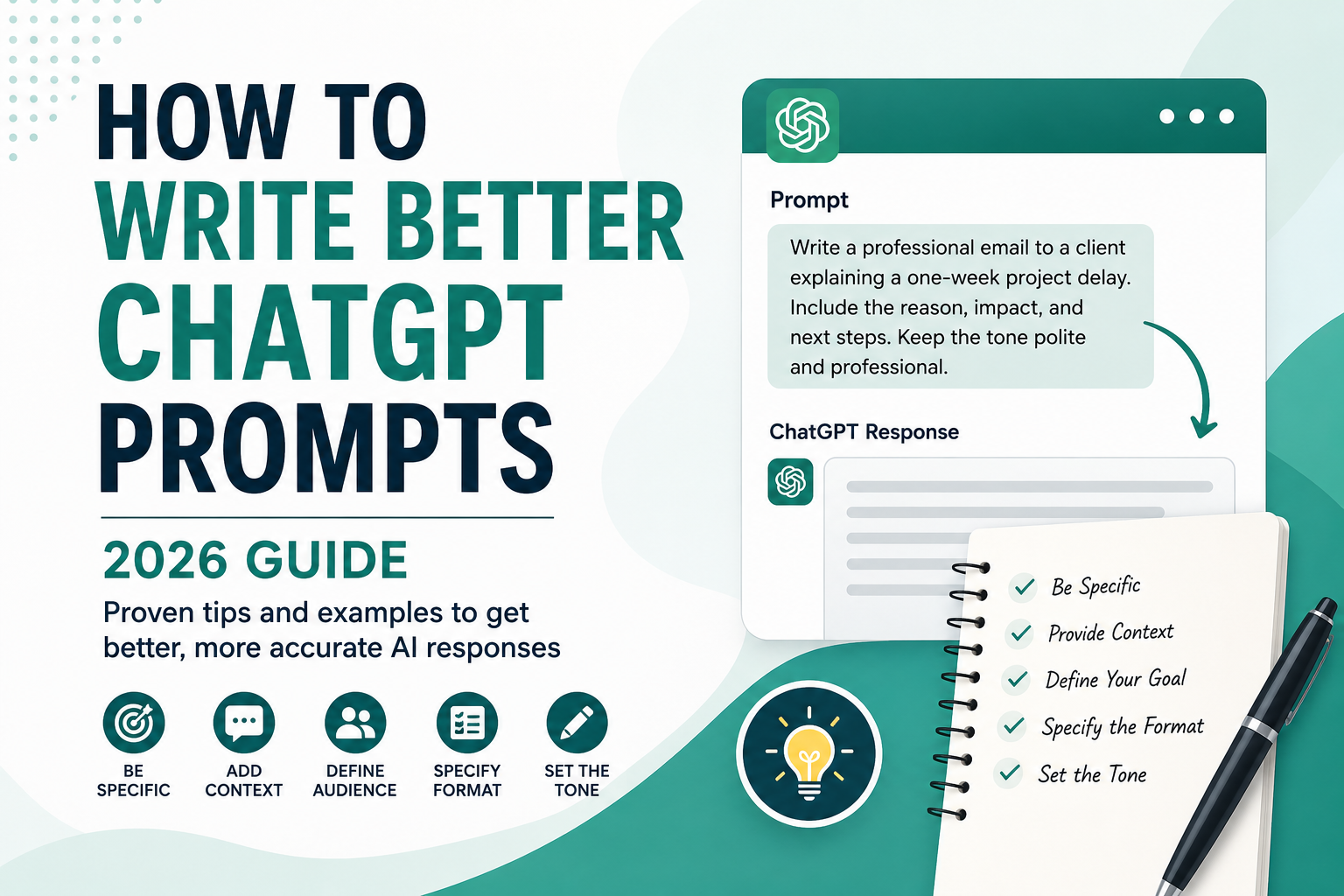
    How to Write Better ChatGPT Prompts guide with prompt writing examples

    Writing better prompts is not about making them longer.

    It’s about providing the right information in a clear and structured way.

    The following practical tips will help you communicate more effectively with ChatGPT and consistently receive higher-quality responses.

    10 Tips for Writing Better ChatGPT Prompts

    The following techniques can dramatically improve the quality of ChatGPT’s responses.

    10 tips for writing better ChatGPT prompts infographic

    1. Be Specific

    Avoid:

    Write an email.

    Better:

    Write a professional email to a client explaining a one-week project delay.

    2. Provide Context

    Tell ChatGPT who you are, what you’re trying to accomplish, and who the audience is.

    The more context you provide, the better the response.

    3. Describe Your Goal

    Instead of asking for information, explain what you want to achieve.

    Example:

    Help me create a blog outline for beginners interested in AI.

    4. Specify the Format

    Ask for:

    • Bullet points
    • Table
    • Step-by-step guide
    • Checklist
    • Email
    • Blog post

    Example:

    Present the answer as a comparison table.

    5. Define the Tone

    Examples:

    • Professional
    • Friendly
    • Formal
    • Casual
    • Persuasive

    6. Mention the Audience

    Example:

    Explain artificial intelligence to a 12-year-old.

    7. Break Large Tasks into Smaller Steps

    Instead of asking ChatGPT to complete everything at once, divide the task.

    This usually produces higher-quality results.

    8. Ask Follow-up Questions

    Good prompting is often conversational.

    Ask ChatGPT to:

    • Expand
    • Simplify
    • Rewrite
    • Improve
    • Add examples

    Each follow-up prompt helps ChatGPT better understand your expectations and improve the final response.

    9. Review the Output

    Always check important information before using it.

    Verify facts related to:

    • Finance
    • Medicine
    • Law
    • Business

    Important decisions should always be based on verified information from trusted sources.

    10. Keep Improving Your Prompt

    Your first prompt doesn’t have to be perfect.

    Small improvements often produce dramatically better answers.

    A Practical Before-and-After Prompt Test

    Consider a common workplace task: telling a client that a project will be one week late. The two prompts below ask for the same deliverable, but they give ChatGPT very different amounts of useful information.

    Version 1: A vague request

    Write an email about a project delay.

    This request identifies the task, but not the recipient, reason, revised date, tone, or next step. ChatGPT has to make assumptions, so the draft may sound generic or include details that do not match the situation.

    Version 2: A structured request

    Write a concise email to an existing client explaining that the website redesign will be delivered on August 14 instead of August 7 because final accessibility testing needs more time.
    
    Acknowledge the inconvenience, take responsibility, and explain that the extra testing reduces the risk of problems after launch. Keep the tone calm and professional. Use a subject line, two short paragraphs, and a clear invitation to discuss any scheduling concerns. Do not invent discounts or additional project details.

    An illustrative result from the second prompt should be easier to use because the model no longer needs to guess the audience, facts, tone, structure, or prohibited details. The response can focus on communicating the delay instead of inventing the missing context.

    Why the second prompt is stronger

    • Task: Write a client email about a specific delay.
    • Context: The project, old date, new date, and reason are supplied.
    • Audience: The reader is an existing client.
    • Tone: Calm, professional, accountable, and concise.
    • Format: A subject line and two short paragraphs.
    • Boundary: The model is told not to invent compensation or project details.

    The lesson is not that every prompt must be long. It is that each instruction should remove an important ambiguity. If a detail will change whether the answer is usable, include it.

    Examples of Weak vs Strong Prompts

    Weak Prompt

    Write a blog post about AI.

    Better Prompt

    Write a 1,000-word beginner-friendly blog post about artificial intelligence.

    Use H2 and H3 headings, include practical examples, and keep the tone conversational.


    Weak Prompt

    Explain SEO.

    Better Prompt

    Explain SEO to a complete beginner using simple language.

    Include practical examples and a step-by-step guide.

    Common Prompt Formula

    A simple prompt structure is:

    Task

    Context

    Audience

    Format

    Tone

    Example:

    Write a 1,000-word blog post about AI productivity tools.
    
    Audience:
    Small business owners.
    
    Tone:
    Professional but easy to understand.
    
    Format:
    Use H2 and H3 headings with bullet points.

    Using a consistent prompt structure helps ChatGPT understand your request more accurately and produce better results.

    You can use this simple framework for almost any task, whether you’re writing emails, creating content, or planning projects.

    You can also use this framework in ChatGPT Study Mode to define your level, topic, goal, and preferred learning method before starting a guided study session.

    If you repeatedly ask for the same tone, response length, or formatting rules, save those preferences once with ChatGPT Custom Instructions and keep each task-specific prompt focused on the current goal.

    How to Diagnose a Weak ChatGPT Response

    When a response is disappointing, do not immediately rewrite the entire prompt. First identify the specific failure, then add the smallest instruction that addresses it.

    Problem in the responseLikely causePrompt improvement
    Too genericAudience, goal, or context is missingAdd who the answer is for and what decision or action it should support
    Too longNo length or priority was definedSet a word range and ask for only the most important points
    Wrong formatThe deliverable was not specifiedRequest a table, checklist, email, outline, or numbered steps
    Invented detailsThe model had to fill gapsSupply the facts and instruct it to label uncertainty instead of guessing
    Wrong toneThe relationship and tone were unclearDescribe the reader and use concrete tone words

    For an important factual task, add a verification instruction such as:

    Use only the information I provide and the sources you can verify. Separate confirmed facts from assumptions. If a claim cannot be verified, say so instead of guessing. Include links to the sources used.

    This instruction can reduce unsupported claims, but it does not guarantee accuracy. Review the sources yourself, especially for medical, legal, financial, safety, or other high-impact decisions. Our ChatGPT Search guide explains how to inspect citations and verify claims more carefully.

    OpenAI’s official prompt engineering best-practices guide likewise recommends clear, specific instructions, enough context, and iterative refinement after reviewing the first response.

    Common Mistakes to Avoid

    Avoid:

    • Being too vague
    • Missing context
    • Asking multiple questions at once
    • Forgetting the audience
    • Not reviewing the response

    Learn more:

    10 Common ChatGPT Prompt Mistakes

    If you’re new to ChatGPT, you may also enjoy:

    How to Use ChatGPT for Beginners

    Frequently Asked Questions

    Why are my ChatGPT answers too generic?

    Most generic responses happen because the prompt lacks enough detail or context.


    How long should a ChatGPT prompt be?

    There is no perfect length. A prompt should contain enough information for ChatGPT to understand your request.


    Can better prompts improve ChatGPT’s answers?

    Yes. Better prompts often lead to more accurate, detailed, and useful responses.


    Should I use ChatGPT or Google?

    ChatGPT is excellent for generating ideas, writing, and explaining concepts, while Google is better for finding recent information and official sources.

    Learn more:

    ChatGPT vs Google


    Can I reuse the same prompt?

    Yes.

    You can reuse prompts, but adjusting them to your audience, goals, and context usually produces better responses.

    Conclusion

    Better prompting is less about finding a secret phrase and more about reducing ambiguity. State the task, provide the context that affects the answer, identify the audience, define the output format, and set useful boundaries.

    Then review the response as a draft. If it is generic, inaccurate, too long, or poorly structured, diagnose that specific problem and refine one part of the prompt. This conversational approach is usually more effective than trying to write a perfect instruction on the first attempt.

    Clear prompts can improve relevance and reduce revisions, but they do not guarantee factual accuracy. Verify important claims with reliable primary sources and never treat a confident answer as proof.

    For repeated work, save the reusable structure and replace only the changing context. Over time, a small library of tested prompt templates can make ChatGPT more useful for writing, learning, planning, and everyday work.